Import a video
Add a video to your Library from your computer or from a link, and see when it is ready to open in the Studio.
Add a file from your computer
Click New video at the bottom of the sidebar and choose a file. You can also drag video files onto the Library page. In an empty Library, click Choose video or drop a file on the "Upload your first video" area.
You can select several files. OhPlayer uploads up to 3 at a time, and the rest show Waiting.
Or import from a link or another service
Click the small arrow next to New video. Its tooltip reads "Import from Drive, Dropbox, or URL". The New video dialog opens with the text "From this computer, Drive, Dropbox, or a public link."
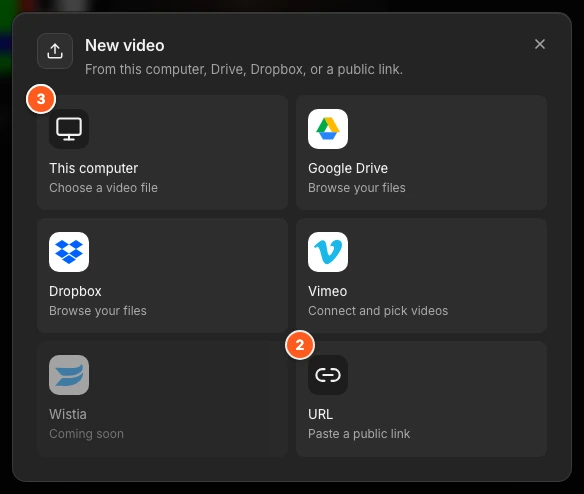
On a phone or tablet, tap + in the bottom bar, or New video on a tablet with the sidebar open. The same New video dialog opens, so every source works there too.
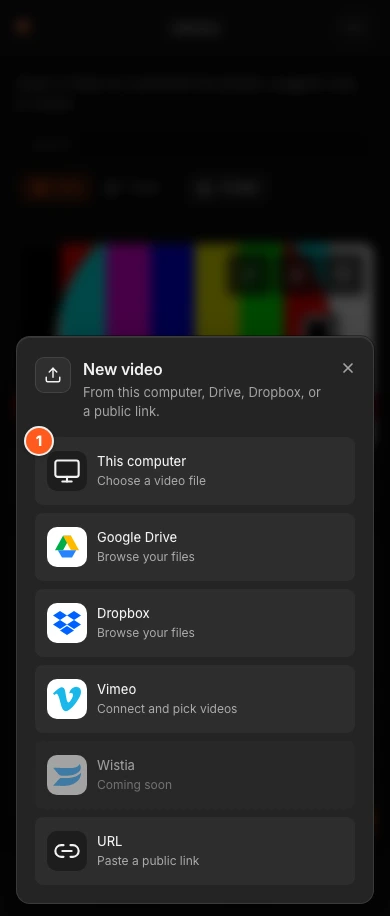
Pick a source:
- This computer
- Choose a video file from your device.
- URL
- Paste a public link. The pane is titled Paste a URL, the field is Direct video URL, and it says "The URL must return a video file, not a webpage." Click Import video.
- Google Drive and Dropbox
- Click the card to browse your files and pick one or more videos. If the card says Picker not set up, it is not available yet. Use This computer or URL instead.
- Vimeo and Wistia
- Click the card, connect your account, and pick the videos to move over.
Wait for the video to be ready
Your video appears in the Library right away with a status: Waiting, Uploading with a percentage, then Encoding. When the status disappears, the video is ready. Click the video to open it in the Studio.
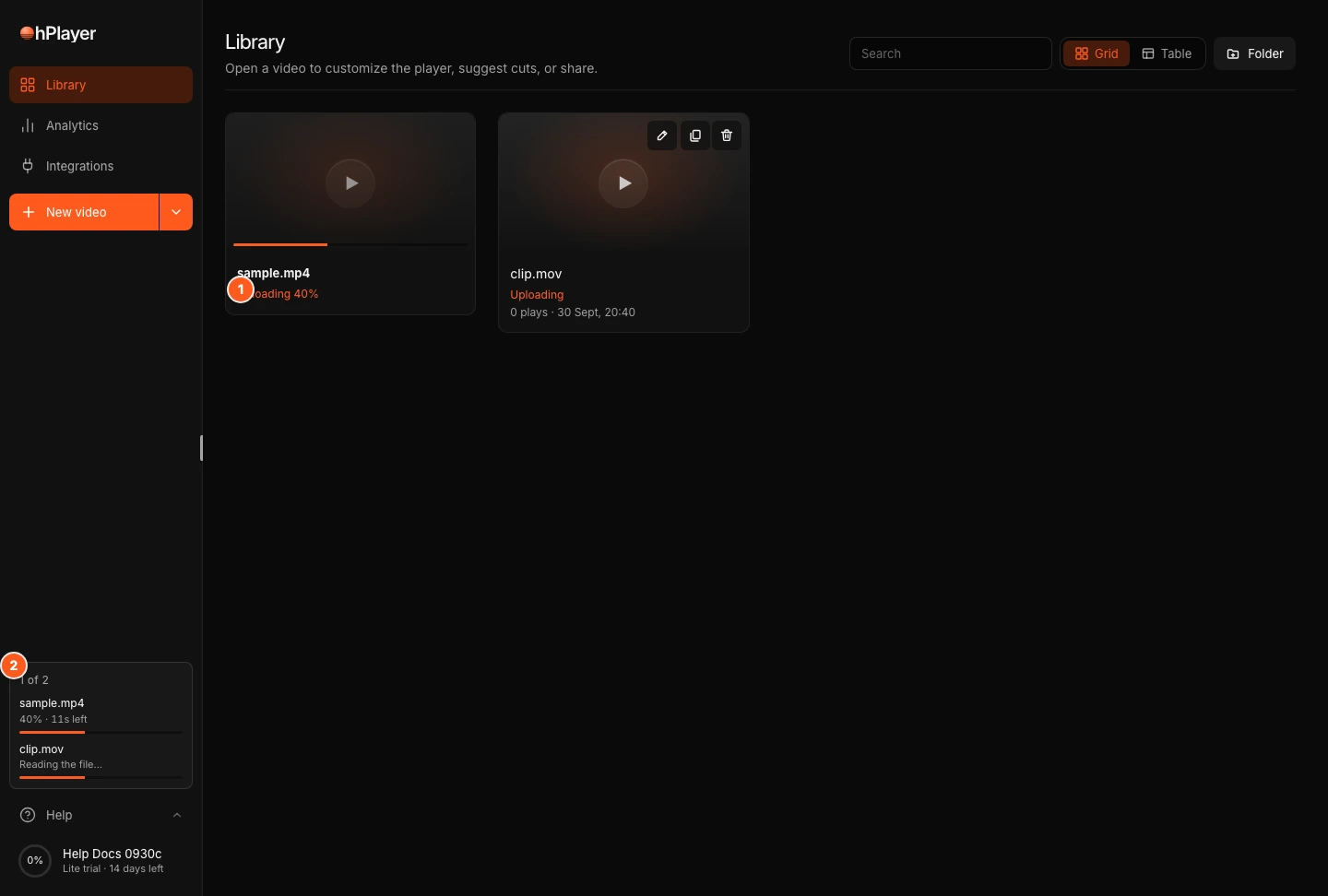
You can leave the page while it works. If you are curious what each status means, or a video seems stuck, see Why is my video still processing?
New video shows a lock
When your plan or trial has ended, New video (and + on a phone) shows a lock. Clicking it opens Account → Plan & Billing, where you can choose a plan.
Supported files and limits
- Formats: MP4, MOV and WebM.
- Size: up to 2 GB per file, for uploads and for imports.
- Storage: every source file counts toward your plan's storage. The free preview includes one video, and the trial has its own storage cap. See Plans and limits.
- Import limits: you can have 2 link imports running at once, and up to 40 a day.
- New accounts: in the first 7 days you can start up to 10 uploads a day.
No video handy?
In onboarding and in an empty Library, click Try a sample (or No video handy? Try a sample). You can watch a finished AI edit next to its raw upload. It takes no wait and no credits.
Messages you might see
| Message | What to do |
|---|---|
| Unsupported file. Use an MP4, MOV, or WebM video. | Convert the file to MP4, MOV or WebM. |
| That file is not recognized as a video. Use an MP4, MOV, or WebM video. | Check that the file is a real video. |
| That file is not an MP4, MOV or WebM video. | The file contents are not a supported video, even if the name ends in .mp4. Export it again from your editor. |
| The video is too large. Uploads are limited to 2 GB. | Compress the video or split it into parts. |
| Storage limit reached. Upgrade your plan or remove a video. | Delete a video you no longer need, or move to a bigger plan. During a trial or preview the message says "Start your plan or remove a video." |
| The free preview includes one video. Start your 14-day trial to add more. | Start your trial to add more videos. |
| Start a trial or renew your subscription before uploading. | Your plan or trial has ended. Start or renew a plan. See When your plan ends. |
| Another upload is transferring. Try again shortly. | Wait a moment and try again. |
| New accounts can start 10 uploads a day. Try again tomorrow or contact support. | Wait until tomorrow, or write to support@ohplayer.com. |
| The URL returned a webpage instead of a video file. | Use a direct link to the video file, not a page that plays it. |
| The video import timed out. | Try again, or download the file and upload it from your computer. |
| Import limit reached. Wait for current jobs or try tomorrow. | Let current imports finish, or try again tomorrow. |
Next steps
Was this page helpful?
Your answer stays in your browser. Nothing is sent to us or to anyone else.