Ad pixel events
This page shows how to send what viewers do in your video to the ad pixel already on your page, so you can build audiences such as "watched 75% but did not buy".
OhPlayer does not add a pixel. When the page that holds your embed already has the Meta Pixel, Google Analytics 4 (GA4) or Google Tag Manager (GTM), the player sends events to it. Pages without a pixel are left alone. Ad pixel events work on Lite and Pro.
Open the page
Click Integrations in the sidebar, then click Ad pixel events under Sales & ads.
Turn it on
Under Turn on, switch on Send events from all videos. The setting applies to every video in your account. It is off until you turn it on.
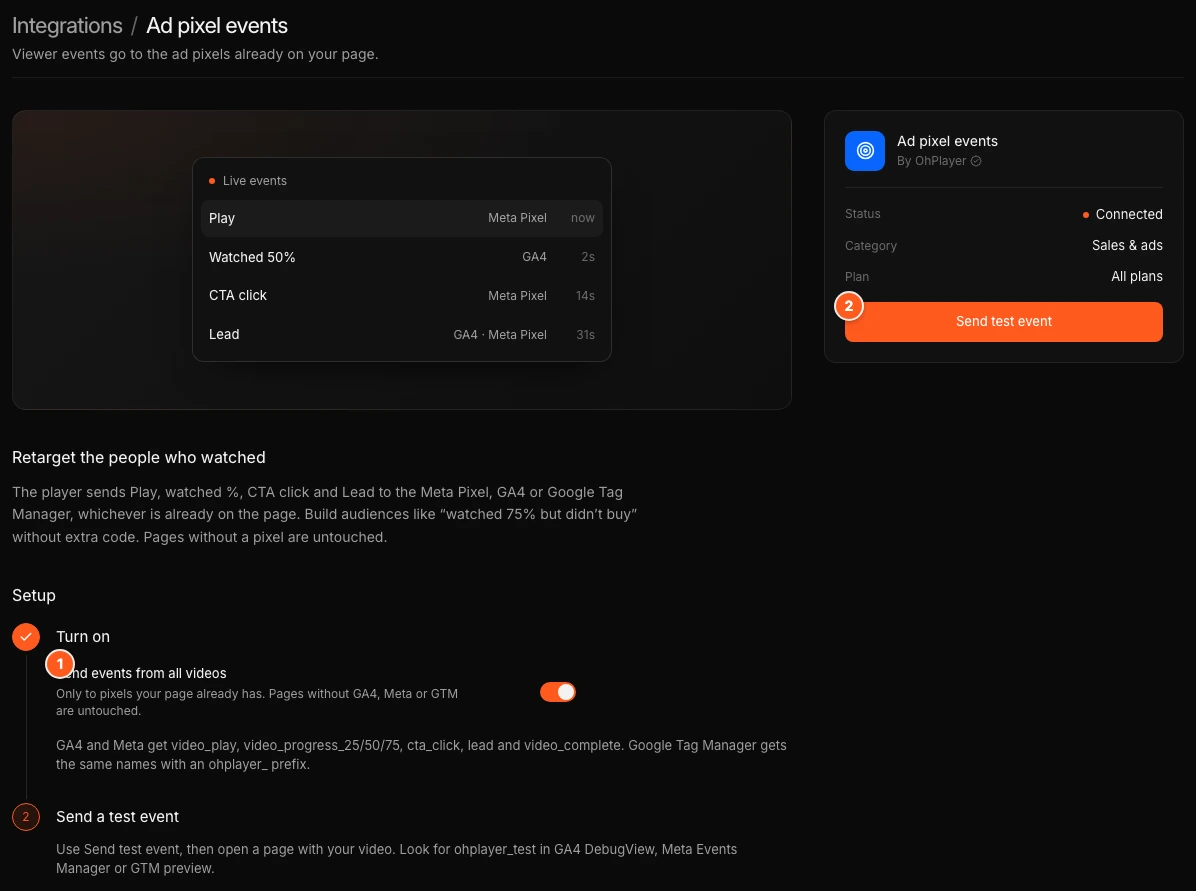
Send a test event
Click Send test event. This arms a test for 15 minutes. Open a page that holds your video. The next page load sends one event named ohplayer_test. The page then shows "Test event sent from" and the site name.
Look for ohplayer_test in GA4 DebugView, Meta Events Manager or the Google Tag Manager preview. If nothing loads within 15 minutes, the page says so. Click Send test event again.
Events OhPlayer sends
| Viewer action | GA4 and Meta event | Google Tag Manager event |
|---|---|---|
| Starts the video | video_play |
ohplayer_video_play |
| Reaches 25% | video_progress_25 |
ohplayer_video_progress_25 |
| Reaches 50% | video_progress_50 |
ohplayer_video_progress_50 |
| Reaches 75% | video_progress_75 |
ohplayer_video_progress_75 |
| Clicks a CTA | cta_click |
ohplayer_cta_click |
| Submits a lead form | lead |
ohplayer_lead |
| Finishes the video | video_complete |
ohplayer_video_complete |
Meta receives these as custom events. Every event carries the video id and the event time. Google Tag Manager events are pushed to the dataLayer, so you build a trigger on the event name.
Good to know
- The pixel must already be on the same page as your embed. OhPlayer does not load it for you.
- These events go to your ad platforms. They are separate from the numbers in Analytics.
- OhPlayer records ad click ids such as
gclidandfbclid, and the Meta browser ids, with viewer events. See What your viewers see. - You are responsible for asking your visitors for consent to advertising cookies on your own site. See Data, privacy and cookies.
Next steps
Was this page helpful?
Your answer stays in your browser. Nothing is sent to us or to anyone else.